Automation Case Studies

Automation workflows built around real business problems.

Explore practical systems for lead handling, CRM updates, WhatsApp follow-ups, reporting, and website automation integration. Each workflow focuses on a clear business process and a smoother way to manage daily operations.

Workflow Use Cases

Automation workflows for common business operations.

These systems can be adapted for agencies, consultants, real estate teams, education providers, clinics, ecommerce businesses, and other service-based companies.

Workflow 01

Website lead to CRM and WhatsApp follow-up

Best for service businesses that receive inquiries from a website and need faster follow-up without copy-paste work.

Best for Service providers, agencies, consultants, and local businesses that collect inquiries online.
What gets automated Form capture, lead record creation, team alerts, and first follow-up messages.
Connected workflow
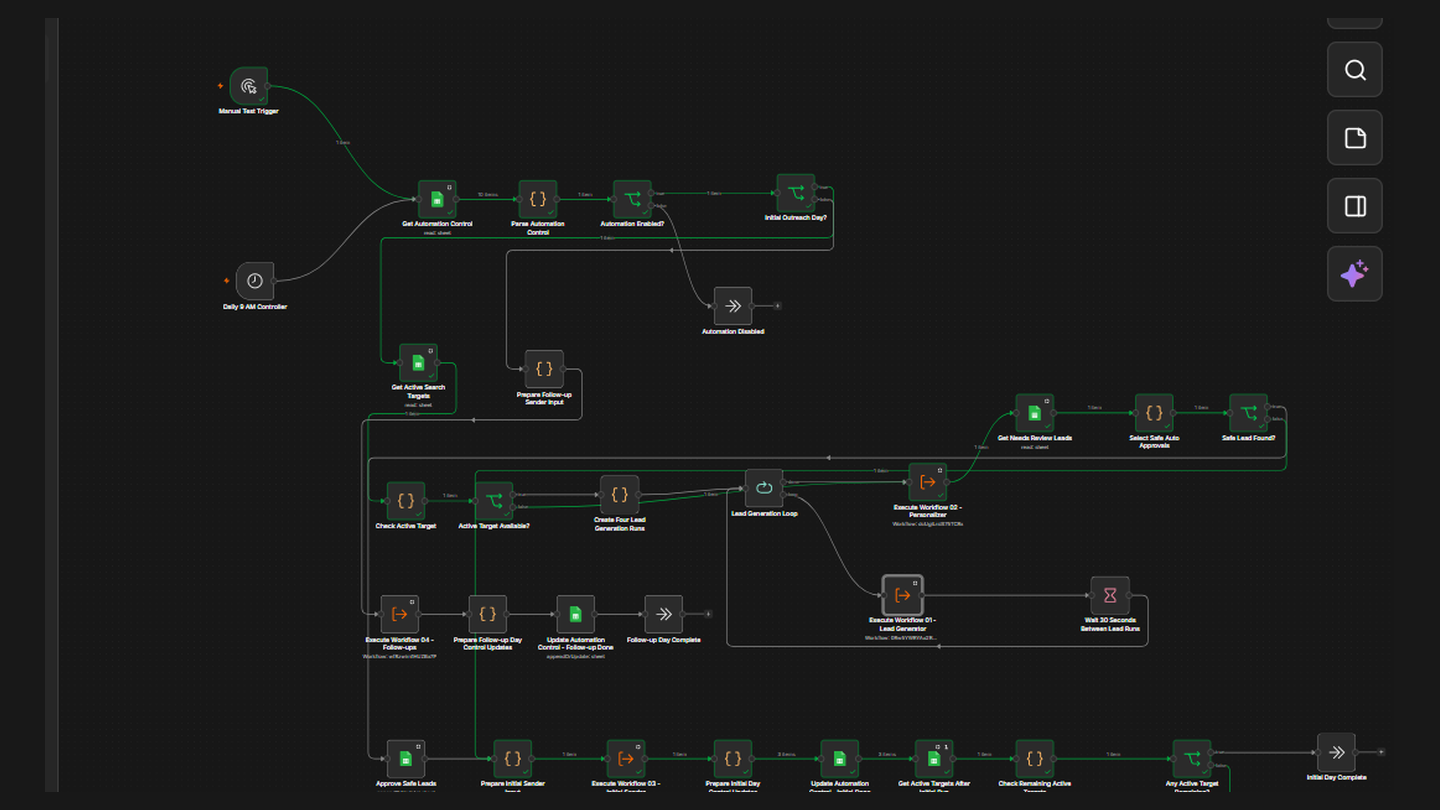
Website form CRM Sheets Email WhatsApp
Lead generation system workflow connecting website form, lead capture, CRM, and follow-up automation
Before

Lead details are handled manually

A visitor submits a contact form, then the team checks email, copies details, updates a sheet, and sends a follow-up manually.

After

Lead details move automatically

The form submission creates a CRM or sheet record, notifies the team, and triggers a WhatsApp or email follow-up message.

Trigger Website form submitted
Organize Lead data cleaned and saved
Notify Team receives lead alert
Follow up Customer receives response
Website Forms CRM Automation WhatsApp Alerts n8n Workflow
Workflow 02

CRM pipeline and sales task automation

Best for teams that want to keep lead stages, notes, assignments, and next actions cleaner inside a CRM.

Best for Sales teams, service businesses, consultants, and agencies that manage leads in stages.
What gets automated Lead creation, stage updates, task assignment, reminders, and pipeline tracking.
Connected workflow
Lead source CRM Task owner Reminder Report
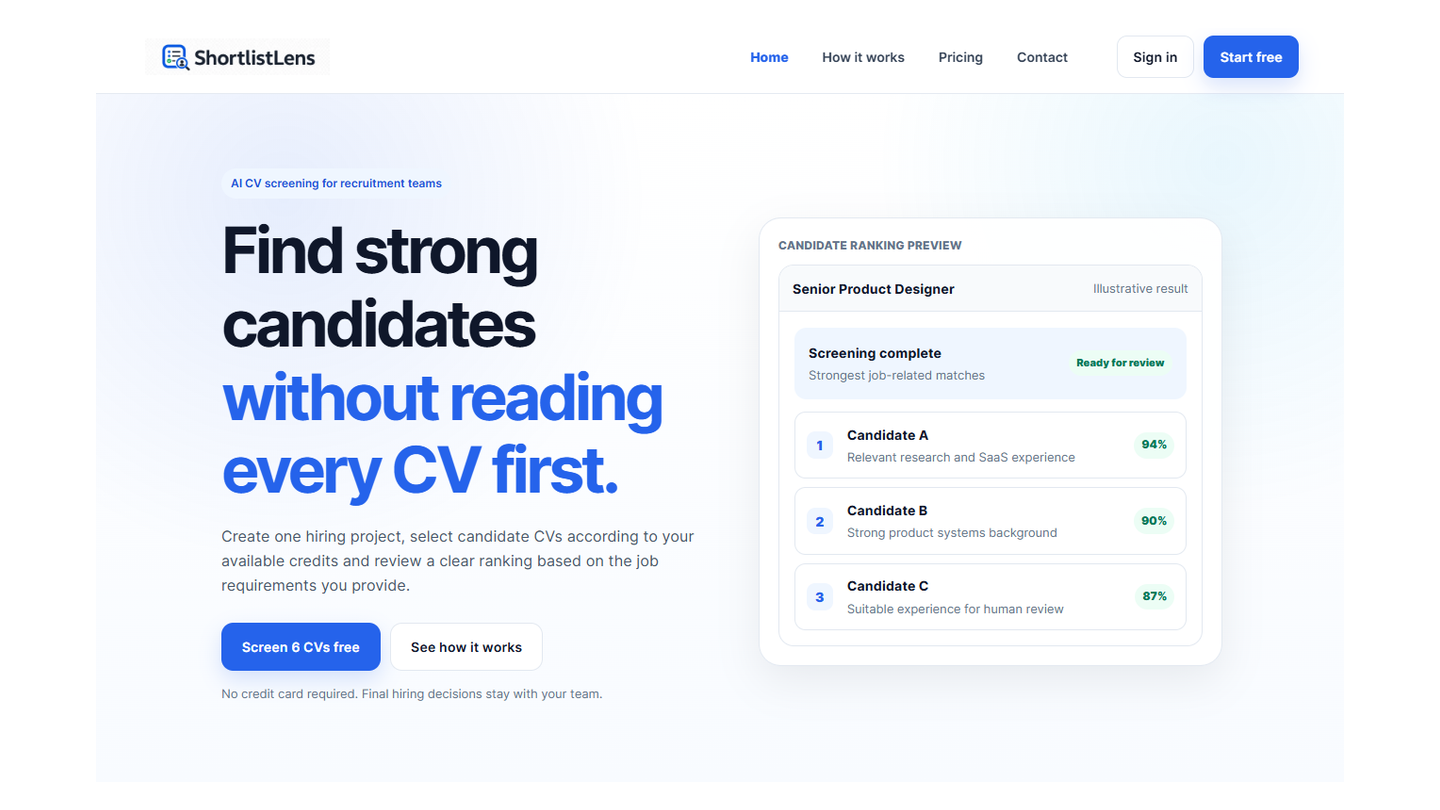
CRM automation system workflow for lead tracking, task assignment, and follow-up automation
Before

CRM updates are inconsistent

Leads are added manually, stages are forgotten, follow-up tasks are missed, and the sales process becomes hard to track.

After

Pipeline actions are structured

New leads are created automatically, stages are updated, owners are assigned, and the team receives reminders for important follow-ups.

Capture Lead enters CRM
Assign Owner and stage added
Remind Follow-up task created
Report Pipeline activity tracked
CRM Automation Sales Pipeline Task Reminders Reporting
Workflow 03

WhatsApp alerts and follow-up automation

Best for businesses that use WhatsApp for new lead alerts, appointment reminders, customer updates, and faster follow-up communication.

Best for Teams that need quick customer updates, lead alerts, reminders, and follow-up messages.
What gets automated New lead alerts, reminder messages, follow-up triggers, and CRM or sheet updates.
Connected workflow
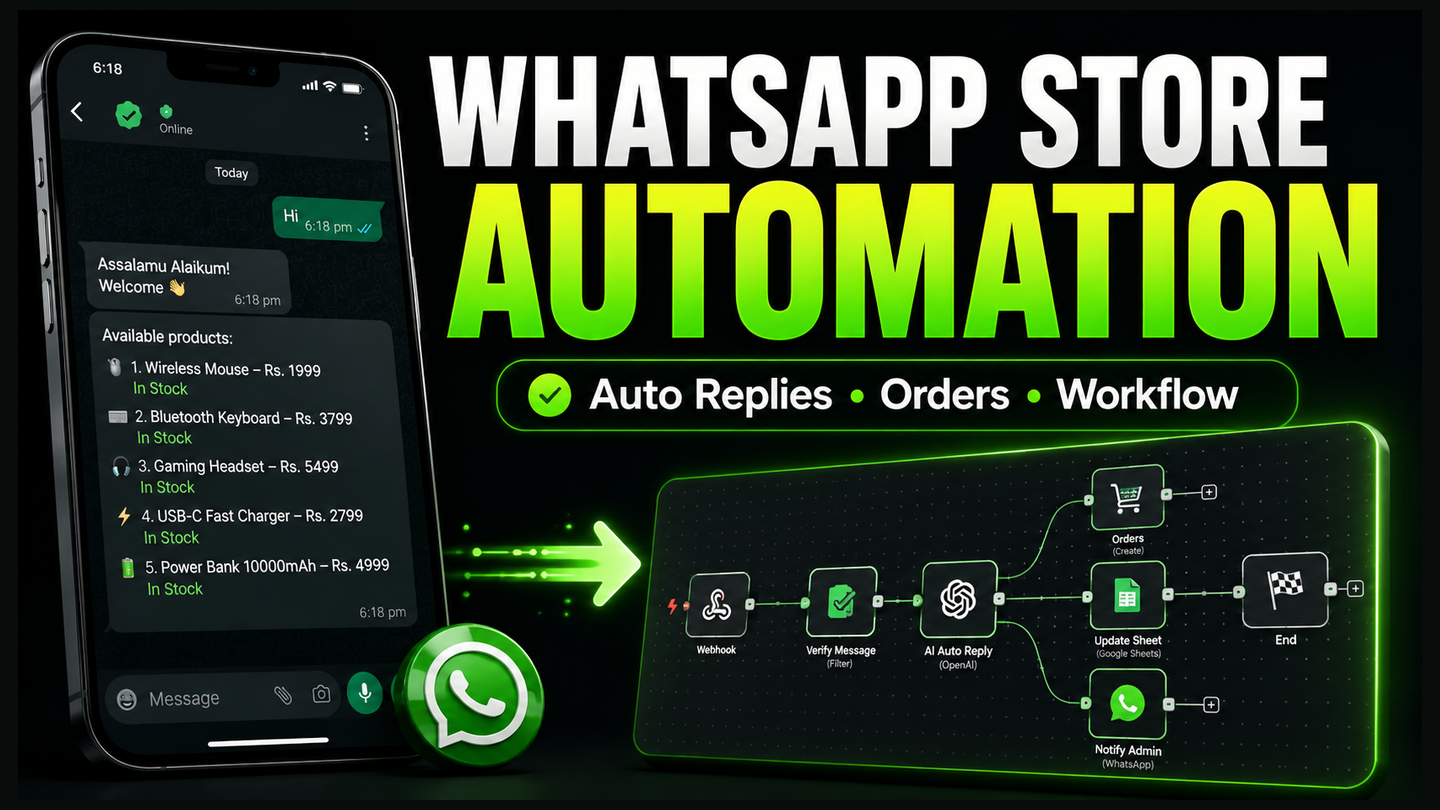
Lead event Message Reminder CRM Sheet
WhatsApp automation system workflow for business alerts, reminders, follow-ups, and CRM updates
Before

Messages and reminders are handled manually

New inquiries, reminders, and customer updates are sent manually, which can slow down follow-up and create extra work for the team.

After

WhatsApp updates are triggered automatically

New leads, reminders, and follow-up messages can be triggered from forms, CRM stages, or booking actions with organized workflow logic.

Trigger Lead or event is created
Prepare Message details are organized
Send WhatsApp update is sent
Update CRM or sheet record is updated
WhatsApp Automation Lead Follow-Up Reminders CRM Updates
How We Build

Every workflow follows a clear consulting process.

CodelyHub AI Team works as Digital Growth & Automation Consultants. We understand the business process first, then design the automation system around the goal.

01

Workflow Discovery

We understand the current manual process, repeated tasks, tools, team roles, and business goal.

02

Automation Mapping

We define triggers, actions, conditions, integrations, fallback paths, notifications, and data storage.

03

System Build

We connect tools such as websites, n8n, CRMs, WhatsApp, email, Google Sheets, APIs, and AI chatbots.

04

Testing and Handover

We test the workflow, reduce errors, explain how it works, and prepare the system for daily use.

Business Types

Automation workflows for many service businesses.

The same automation logic can support different industries that need better lead handling, CRM updates, communication, reporting, and repeated task automation.

A

Agencies

Lead intake, client onboarding, task handover, reporting, and CRM workflows.

R

Real Estate

Property inquiries, WhatsApp alerts, CRM lead tracking, and follow-up reminders.

C

Consultants

Appointment requests, lead qualification, email follow-ups, and client records.

E

Education

Student inquiries, admission lead tracking, reminders, and automated responses.

Create Your Workflow Story

Your repeated business task can become the next automation workflow.

Share your current process with CodelyHub AI Team. We will help you identify what can be automated first, which tools should connect, and how the workflow can create practical business value.

Best starting point

Start with one repeated business task: lead capture, CRM update, WhatsApp follow-up, reporting, or website automation integration.

WhatsApp